Your Laravel logs, triaged.Your errors, fixed by AI.
A Laravel-first log viewer built for solo developers. Log Lens catches, groups, and triages every error across your Laravel, Horizon, nginx, and console logs — then hands them to Claude Code or Codex over its REST API to get fixed. All on infrastructure you already run.
Connect with tools you already know
1,284 lines. One real problem.
SQLSTATE[HY000] [2002] Connection refused
app/Services/OrderSync.php:64
Your agent reads the issue, the stack, and the surrounding log lines over the REST API, then patches the code and closes it out.
BUILT FOR YOUR OWN INFRASTRUCTURE
The engine
From raw log lines to issues you can actually work
Log Lens streams the file, fingerprints recurring errors into one stable issue, and gives each issue a status, tags, and a REST endpoint. Every application gets its own isolated database — there's no cross-application view for one project's errors to leak into.
Fingerprinted issues
Normalized titles, stacks, and source frames group thousands of recurring occurrences into one stable issue — not one row per event.
Byte-range storage
Raw evidence stays in your archived log files. The database only stores byte ranges, so huge logs stream without bloating it.
Connectors
Pull logs from a local directory or a remote SSH host, with incremental byte-offset checkpoints and rotation-aware dedup.
Workflow & tags
open → in_progress → fixed, with an immutable history, colored tags, and auto-assign rules — reoccurrence is detected automatically.
Plugins, opt-in
Alerting, release tracking, Linear sync, HTTP ingest, and access-log analytics — each switched on per application, never globally.
JSON API + capture SDKs
A full REST API behind an optional token, plus first-hand error capture from Laravel, plain PHP, or the browser.
Catch it the moment it happens — not whenever the log gets parsed.
Log files are after-the-fact and best-effort. First-hand capture reports the error instantly, with request, user, and breadcrumb context no log line format naturally carries — and it's the only way to see frontend errors at all.
- →The Laravel reporter needs zero code changes — it hooks the exception handler.
- →
LogLensClientis one dependency-free PHP file for anything else. - →The browser SDK's key is write-only, by design — anyone with it can push events, never read them.
// .env — zero code changes, unhandled exceptions report themselves
LOG_LENS_REPORTER=true
LOG_LENS_RELEASE=v2.4.0

// Manual reporting, anywhere in the app:
use LogLens\Laravel\LogLens;

LogLens::capture($exception);
LogLens::message('Nightly reconciliation drifted', 'WARNING');
Screens
The whole app, not a landing page
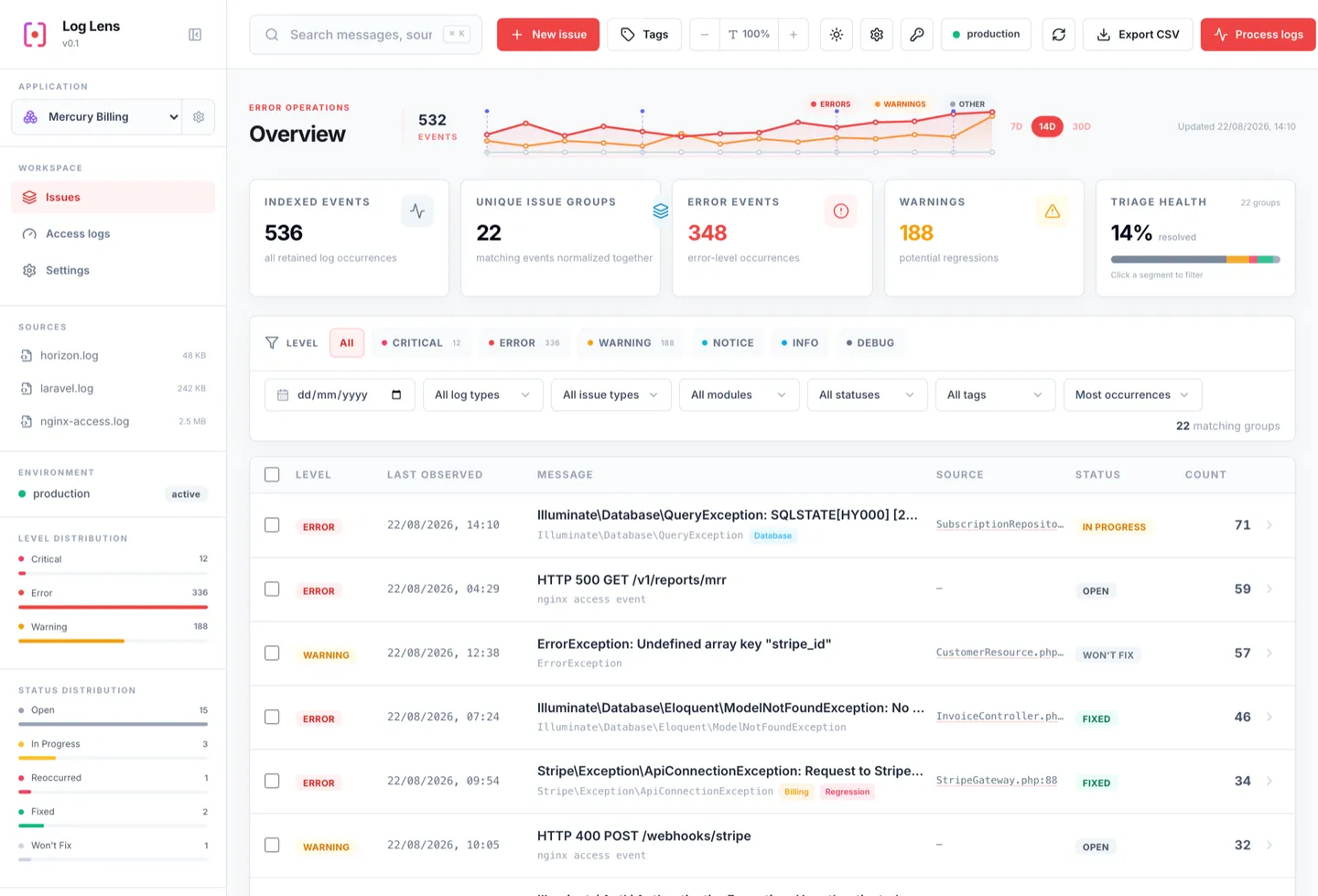
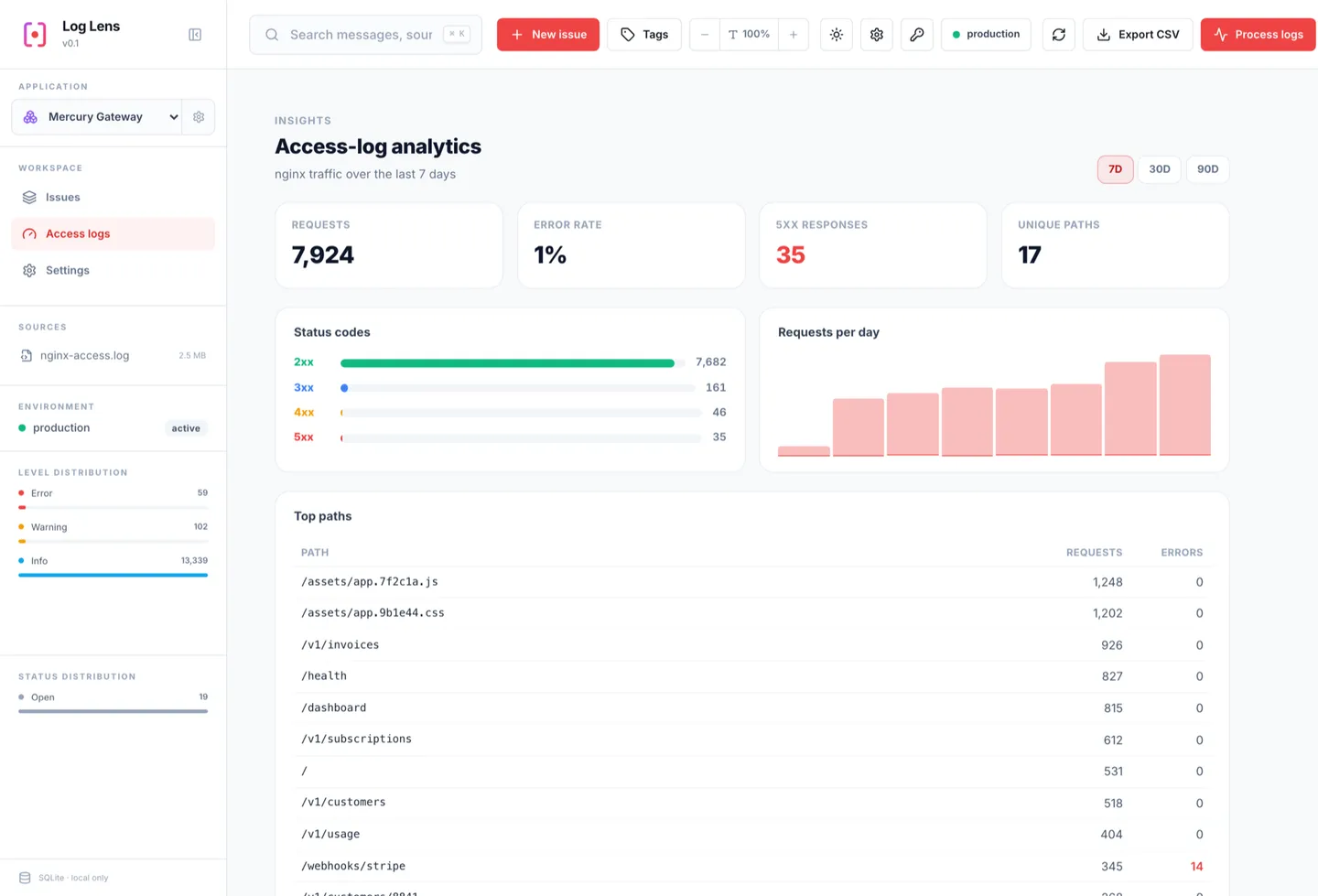
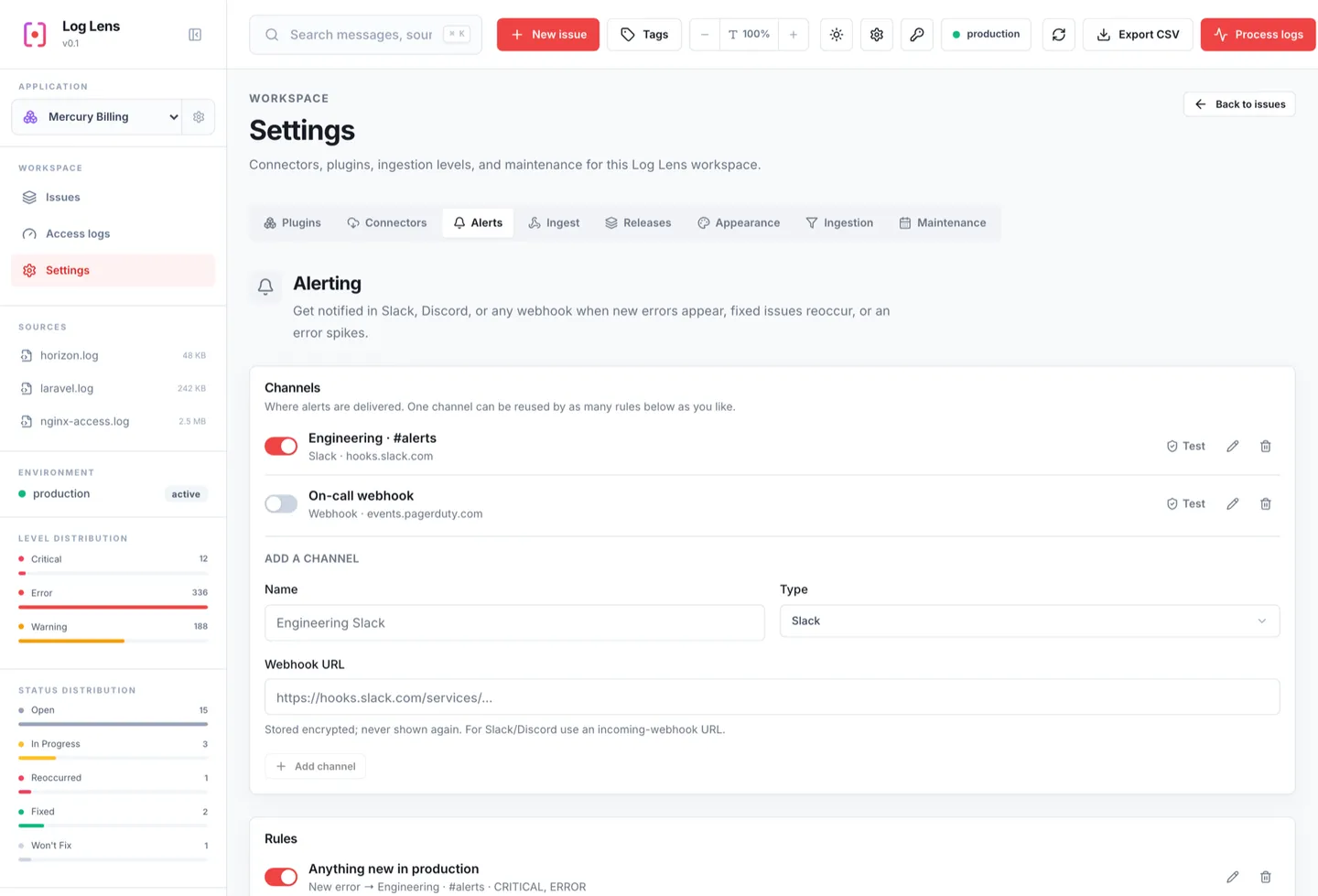
Four screens from a running install. Light theme here — the dashboard also follows a dark or system theme, at any font scale.
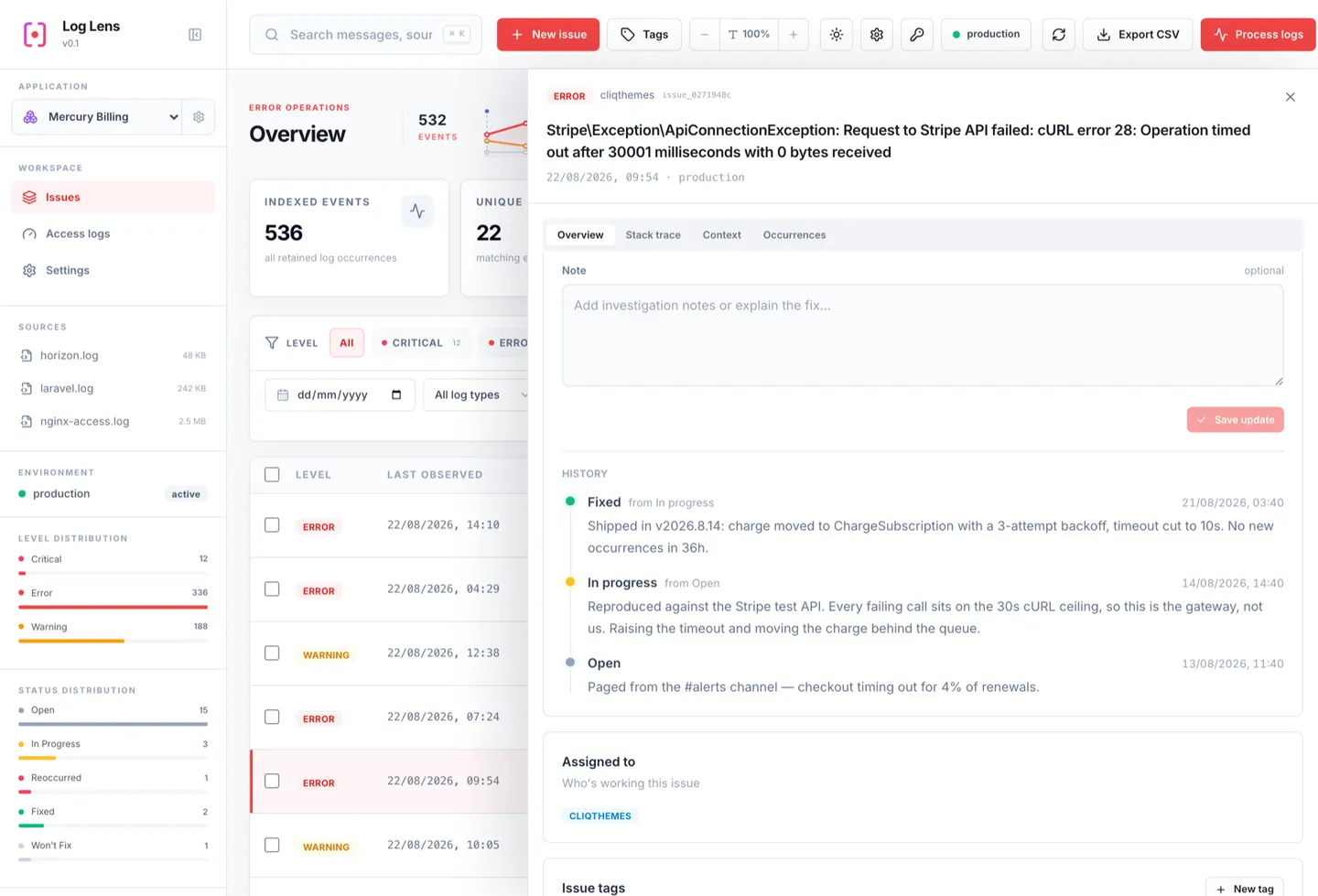
Every status change is an immutable history entry — who moved it, when, and the note they left. Reoccurrence after a fix is detected on ingest.
Parsed nginx access logs become traffic: status classes, requests per day, top paths, methods, and user agents — for the window you pick.
Slack, Discord, or any webhook — on a new error, an error spike, or a fixed issue coming back. Webhook URLs are stored encrypted.
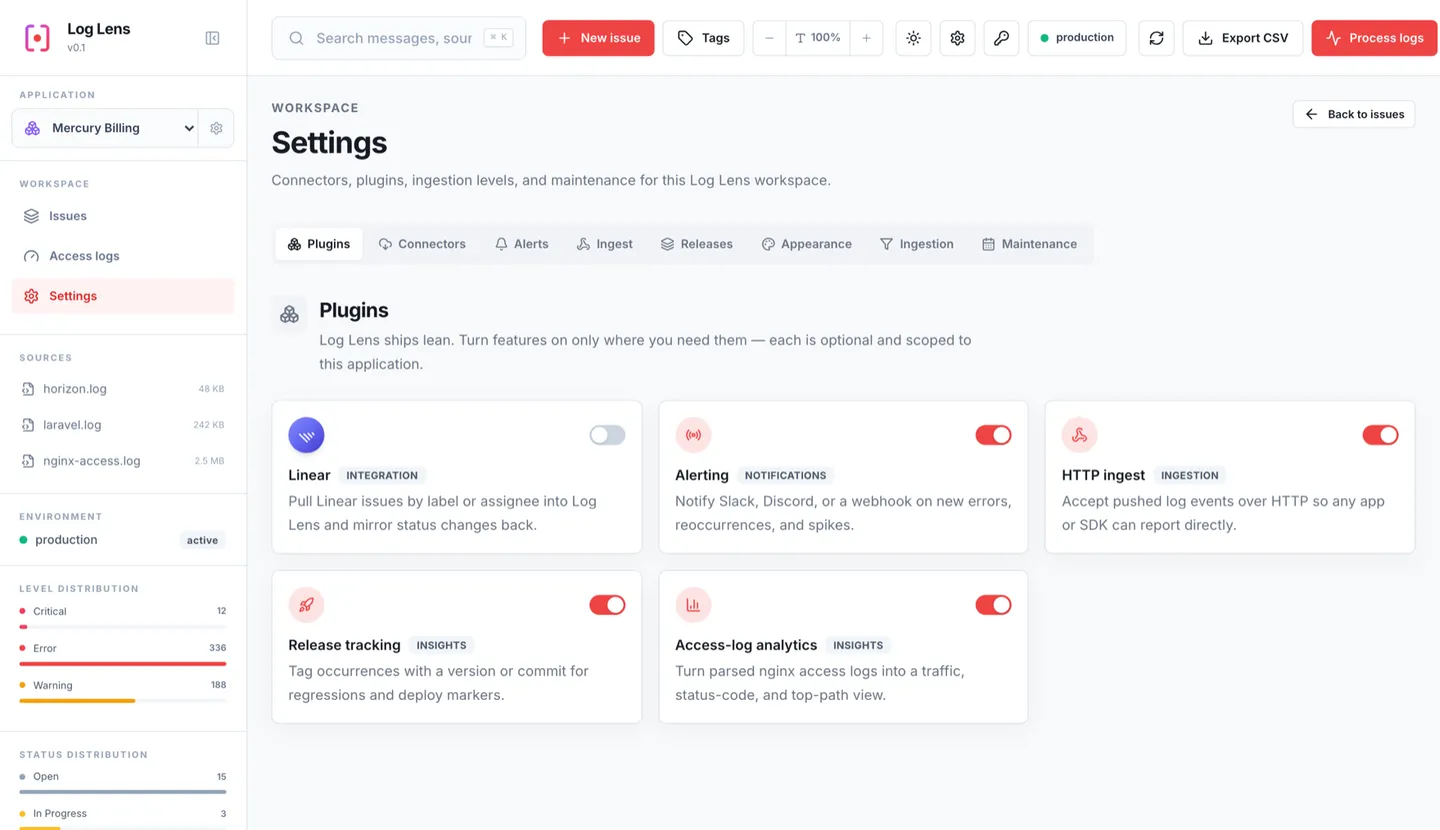
Nothing you don't switch on. Each plugin is scoped to one application — a disabled plugin's routes 404 and its UI is hidden.
Plugins
Turn on only what you need
Five extras ship in the box, and you switch each one on per application. Wire one project up to Linear and the rest never touch it — nothing you haven't enabled runs, renders, or phones anywhere.
Alerting
Get a Slack, Discord, or webhook ping the moment something new breaks, comes back, or starts spiking.
Release tracking
Record every deploy, then see which release an error showed up in and jump straight to the line on GitHub.
Linear integration
Pull the matching Linear issues in by label or assignee, and push your status changes back the other way.
HTTP ingest
Send errors straight over HTTP instead of waiting for a log file — from Laravel, plain PHP, or the browser.
Access-log analytics
Traffic, status codes, and your slowest and busiest paths, read out of the nginx logs you're already parsing.
All of it lives under Settings → Plugins, per application.
Your production errors never leave your servers
Hosted error trackers are great products built around a tradeoff: your production data has to go somewhere you don't run. Log Lens makes the other choice — everything stays where your logs already live.
No data leaves your infrastructure
Every application gets its own database, incoming directory, and archive on disk you already control — not a row in someone else's multi-tenant cluster.
No cloud vendor to depend on
Run it under PHP's built-in server, behind nginx, inside a Laravel app, or air-gapped. There's no hosted control plane that can rate-limit, deprecate, or go down on you.
No per-seat, per-event pricing
It's MIT-licensed and free. Ingest as many events as your disk and PHP process can handle — there's no usage meter to watch.
Clone the repo, point PHP at it
No build step and no Composer install at runtime. You need PHP 8.2+ with the pdo_sqlite extension — everything else is already in the repo.
Open http://127.0.0.1:8787 — that's it, you're looking at your first application.